hledger
plain text accounting.
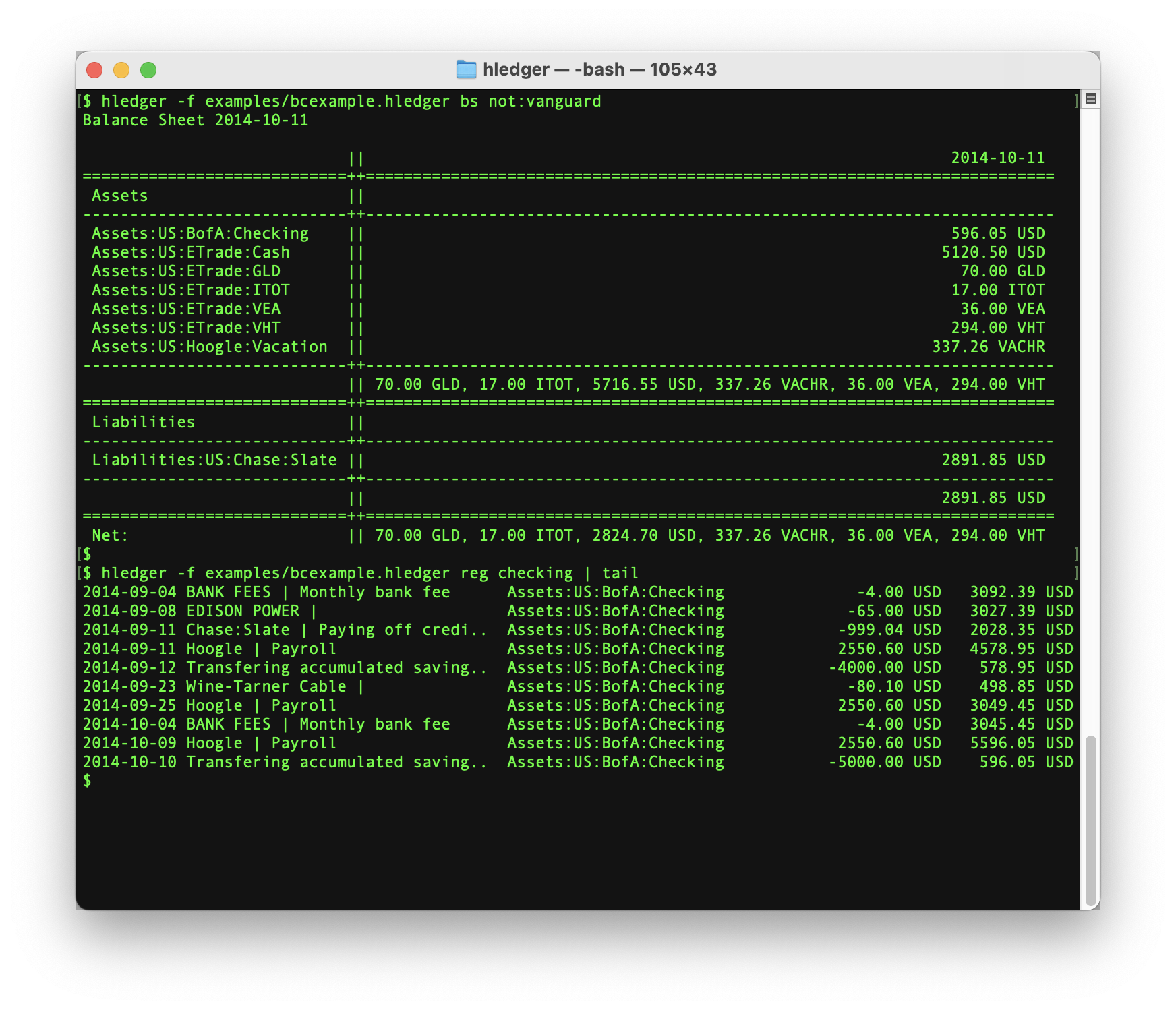
hledger is friendly, fast, dependable, cross platform accounting software. It tracks money, investments, cryptocurrencies, time - or anything else countable - using human-readable plain text data that you control. It works well for both simple and complex finances.
You can download one binary and use hledger with nothing else needed; or combine it with other tools, like version control, scripts, and LLMs. You can enter data with your favorite text editor, or use a UI, or import data from banks and other places.
hledger is Free Software created by Simon Michael and contributors, supported and improving continuously since its first release in 2007. You can read more about it at Why hledger ? and FAQ.
A quick example
Transactions are movements of money, recorded in a plain text file. This simple format, invented by the Ledger project, is the key to understanding Plain Text Accounting (and double entry bookkeeping):
; ~/.hledger.journal (or $LEDGER_FILE)

2025-12-01 declare starting balances
    equity
    assets:checking    $1000     ; the assets:checking account started with $1000
    assets:wallet         $0     ; the assets:wallet account started empty

2025-12-01 cash gift received
    income:gifts        $-50     ; $50 moved from the income:gifts account (- means from)
    assets:wallet        $50     ; to the assets:wallet account            (+ means to)

2025-12-02 rent paid
    assets:checking    $-800     ; from checking
    expenses:rent       $800     ; to rent

2025-12-03 Client payment received
    income:consulting            ; a missing amount is inferred ($-1500 here)
    assets:checking    $1500

2025-12-04 Grocery store
    assets:checking              ; ($-64.50 here)
    expenses:groceries   $54.50
    expenses:home care    $7
    expenses:snacks       $3
This file is all you need. From it, hledger generates precise reports:
$ hledger aregister checking
Transactions in assets:checking and subaccounts:
2025-12-01 declare starting ..  equity, as:wallet         $1000.00      $1000.00
2025-12-02 rent paid            ex:rent                   $-800.00       $200.00
2025-12-03 Client payment re..  in:consulting             $1500.00      $1700.00
2025-12-04 Grocery store        ex:groceries, ex:h..       $-64.50      $1635.50
$ hledger bs
Balance Sheet 2025-12-04

                 || 2025-12-04
=================++============
 Assets          ||
-----------------++------------
 assets:checking ||   $1635.50
 assets:wallet   ||     $50.00
-----------------++------------
                 ||   $1685.50
=================++============
 Liabilities     ||
-----------------++------------
-----------------++------------
                 ||          0
=================++============
 Net:            ||   $1685.50
$ hledger is --pretty --tree --daily --row-total --average --sort-amount
Daily Income Statement 2025-12-01..2025-12-04

┌──────────────╥────────────┬────────────┬────────────┬────────────┬──────────┬─────────┐
│              ║ 2025-12-01 │ 2025-12-02 │ 2025-12-03 │ 2025-12-04 │    Total │ Average │
╞══════════════╬════════════╪════════════╪════════════╪════════════╪══════════╪═════════╡
│ Revenues     ║            │            │            │            │          │         │
├──────────────╫────────────┼────────────┼────────────┼────────────┼──────────┼─────────┤
│ income       ║     $50.00 │          0 │   $1500.00 │          0 │ $1550.00 │ $387.50 │
│   consulting ║          0 │          0 │   $1500.00 │          0 │ $1500.00 │ $375.00 │
│   gifts      ║     $50.00 │          0 │          0 │          0 │   $50.00 │  $12.50 │
├──────────────╫────────────┼────────────┼────────────┼────────────┼──────────┼─────────┤
│              ║     $50.00 │          0 │   $1500.00 │          0 │ $1550.00 │ $387.50 │
╞══════════════╬════════════╪════════════╪════════════╪════════════╪══════════╪═════════╡
│ Expenses     ║            │            │            │            │          │         │
├──────────────╫────────────┼────────────┼────────────┼────────────┼──────────┼─────────┤
│ expenses     ║          0 │    $800.00 │          0 │     $64.50 │  $864.50 │ $216.12 │
│   rent       ║          0 │    $800.00 │          0 │          0 │  $800.00 │ $200.00 │
│   groceries  ║          0 │          0 │          0 │     $54.50 │   $54.50 │  $13.62 │
│   home care  ║          0 │          0 │          0 │      $7.00 │    $7.00 │   $1.75 │
│   snacks     ║          0 │          0 │          0 │      $3.00 │    $3.00 │   $0.75 │
├──────────────╫────────────┼────────────┼────────────┼────────────┼──────────┼─────────┤
│              ║          0 │    $800.00 │          0 │     $64.50 │  $864.50 │ $216.12 │
╞══════════════╬════════════╪════════════╪════════════╪════════════╪══════════╪═════════╡
│ Net:         ║     $50.00 │   $-800.00 │   $1500.00 │    $-64.50 │  $685.50 │ $171.38 │
└──────────────╨────────────┴────────────┴────────────┴────────────┴──────────┴─────────┘
in multiple formats:
$ hledger help | grep formats   # hledger main
Input formats   journal csv tsv ssv rules timeclock timedot
Output formats  txt html journal csv tsv fods ledger beancount sql json
$ hledger is -tDTAS -o foo.html
Daily Income Statement 2025-12-01..2025-12-04 | ||||||
|---|---|---|---|---|---|---|
| 2025-12-01 | 2025-12-02 | 2025-12-03 | 2025-12-04 | Total | Average | |
| Revenues | ||||||
| income | $50.00 | 0 | $1500.00 | 0 | $1550.00 | $387.50 |
| consulting | 0 | 0 | $1500.00 | 0 | $1500.00 | $375.00 |
| gifts | $50.00 | 0 | 0 | 0 | $50.00 | $12.50 |
| Total: | $50.00 | 0 | $1500.00 | 0 | $1550.00 | $387.50 |
| Expenses | ||||||
| expenses | 0 | $800.00 | 0 | $64.50 | $864.50 | $216.12 |
| rent | 0 | $800.00 | 0 | 0 | $800.00 | $200.00 |
| groceries | 0 | 0 | 0 | $54.50 | $54.50 | $13.62 |
| home care | 0 | 0 | 0 | $7.00 | $7.00 | $1.75 |
| snacks | 0 | 0 | 0 | $3.00 | $3.00 | $0.75 |
| Total: | 0 | $800.00 | 0 | $64.50 | $864.50 | $216.12 |
| Net: | $50.00 | $-800.00 | $1500.00 | $-64.50 | $685.50 | $171.38 |
It can check that your data is correct, in many ways:
$ hledger check --strict
hledger: Error: /Users/simon/.hledger.journal:4:
  | 2025-12-01 declare starting balances
4 |     equity                                    $-1000
  |                                               ^^^^^^
  |     assets:checking                            $1000  ; the assets:checking account started with $1000
  |     assets:wallet                                 $0  ; the assets:wallet account started empty

Strict commodity checking is enabled, and
commodity "$" has not been declared.
Consider adding a commodity directive. Examples:

commodity $1000.00
commodity 1.000,00 $
The add command walks you through adding a transaction:
$ hledger add
Adding transactions to journal file /Users/simon/.hledger.journal
...
Date [2025-12-13]:
Description: groceries
Using this similar transaction for defaults:
2025-12-02 Grocery store
    assets:checking                             $-64.50  ; a missing amount is inferred ($-64.50 here)
    expenses:groceries                           $54.50
    expenses:home care                            $7
    expenses:snacks                               $3

Account 1 [assets:checking]:
Amount  1 [$-64.50]: $-85
Account 2 [expenses:groceries]:
Amount  2 [$85]: $75.10
Account 3 [expenses:home care]: expenses:misc
Amount  3 [$9.90]:
Account 4 (or . to finish this transaction) [expenses:snacks]: .
2025-12-13 groceries
    assets:checking                             $-85
    expenses:groceries                           $75.10
    expenses:misc                                 $9.90

Save this transaction to the journal ? [y]:
The get and import commands, with a little configuration, simplify importing from financial institutions.
$ hledger import --get   # hledger 1.99.3
no /Users/simon/data/getdata script, skipping data fetch
no /Users/simon/prices/getprices script, skipping prices fetch
hledger: Error: please specify one or more data files to import from,
or add .rules files in a rules/ directory next to the journal.
$ hledger import --get   # hledger 1.99.3
cd /Users/simon/finance/2026/data && getdata
getprices USD EUR 2026-01-01 2026-08-09 >/Users/simon/finance/2026/prices/EUR.prices
..
getprices USD VCEB 2026-01-01 2026-08-09 >/Users/simon/finance/2026/prices/VCEB.prices
...
running: simplefincsv ../data/simplefin.json 'chase bank'
running: paypalcsv ../data/paypal.json
archiving /Users/simon/finance/2026/data/archive/paypal.2026-08-09.csv
running: simplefincsv ../data/simplefin.json 'wells fargo.*business checking'
archiving /Users/simon/finance/2026/data/archive/wf-bchecking.2026-08-09.csv
running: simplefincsv ../data/simplefin.json 'wells fargo.*everyday checking'
archiving /Users/simon/finance/2026/data/archive/wf-pchecking.2026-08-09.csv
imported 8 new transactions from boi-ichecking.rules, chase.rules, paypal.rules, vanguard.rules, wf-bchecking.rules, wf-pchecking.rules to /Users/simon/finance/2026/2026.journal
Everything is documented, and the docs are easy to find.
$ hledger help impor   # hledger main
"impor" matches several manual sections, try a more specific topic:
  Deduplicating, importing
  import
  Default import sources
  Import dry run
  First import
  Importing balance assignments
  Import and commodity styles
  Import archiving
  Import special cases
  Import configurations to avoid
$ hledger help examples import   # hledger main

  Import new transactions from one or more data files to the main journal.
  More information: <https://hledger.org/hledger.html#import>.

  Import new transactions from `bank.csv`, using `bank.csv.rules` to convert:

      hledger import path/to/bank.csv

  Show what would be imported from these two files, without doing anything:

      hledger import path/to/bank1.csv path/to/bank2.csv --dry-run
...
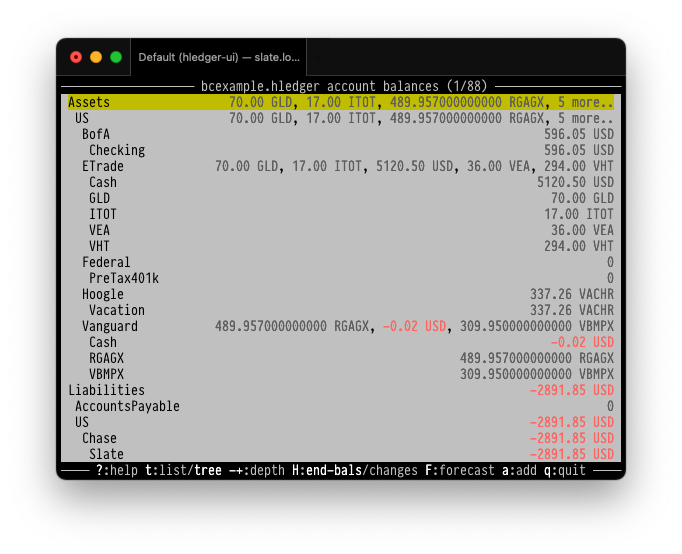
hledger ui is a terminal UI, so you don't have to type commands:
$ hledger ui --help
hledger-ui [OPTIONS] [--cash|--bs|--is|--all|--register=ACCT] [QUERY]
  browse accounts, postings and entries in a full-window TUI
...
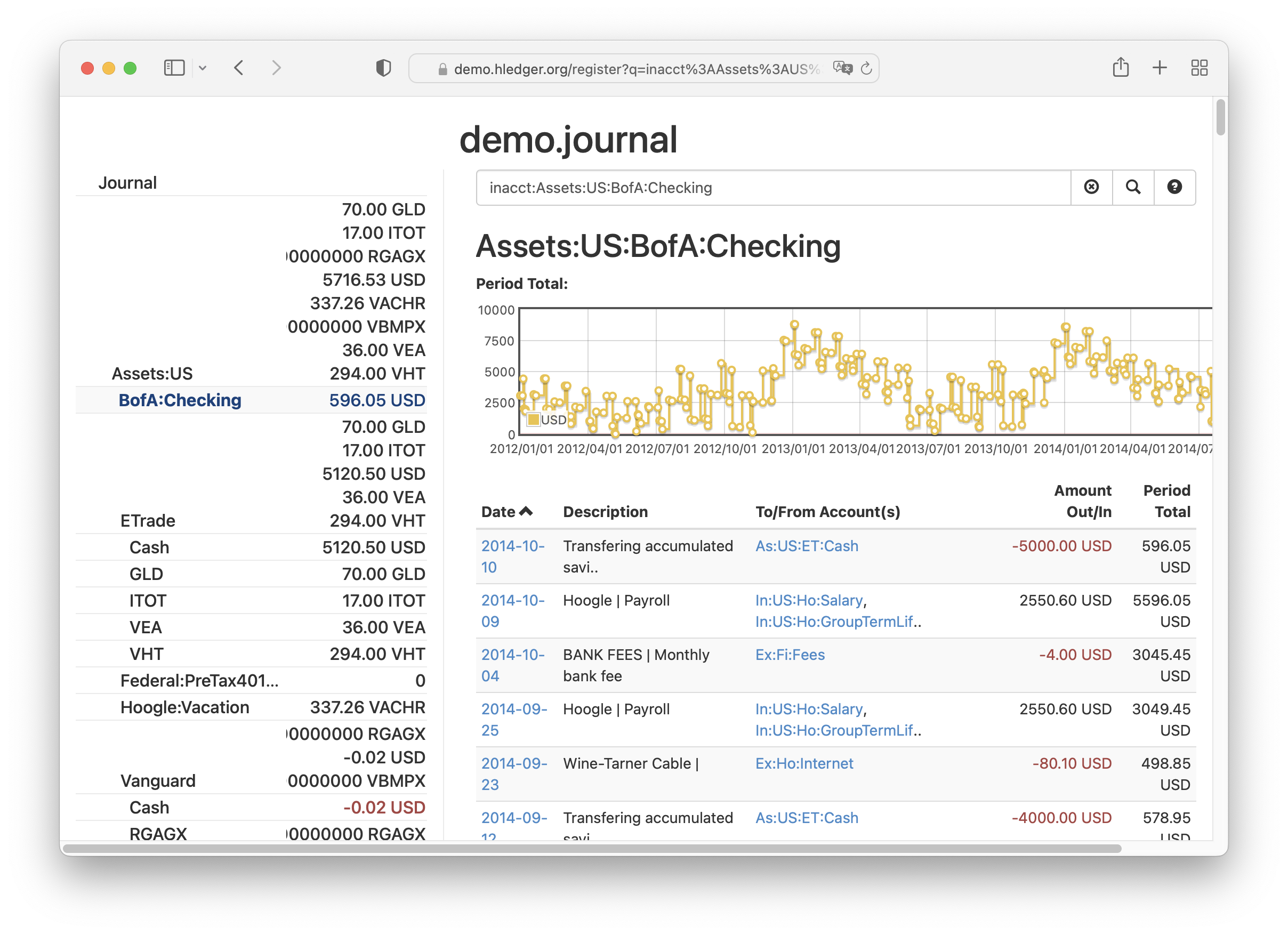
hledger web is a web UI, so you don't have to use the terminal.
You can see a read-only instance with more complex data here:
demo.hledger.org.
$ hledger web
...
Serving web UI and json API at IP address 127.0.0.1 (local access), port 5000
with base url http://127.0.0.1:5000
This server will exit after 2m with no browser windows open (or press ctrl-c)
Opening web browser...
Get started
Try it for yourself:
- Install - quickly get hledger installed. Here are release notes.
- Docs - many learning resources. hledger by example is another good place to start.
- Support - ask questions or share feedback.
Get involved
Would you like to help ?
- Star us on Github to help make us a notable Haskell app.
- Sponsor hledger to help sustain this work. Here's more about Finance.
- Contributor Quick Start and Developer docs.
- CREDITS shows many of the people who have contributed code over the years.
Site tips
-
Toggle the useful navigation sidebar, with the three-lines button at top of page, or the s access key.
-
Access keys available: 1 home, 2 changes, s sidebar, t theme, f find, p print, r repo, e edit.
You can also press the left or right arrow keys to step through pages. -
For quicker browsing, configure these bookmark keywords in your browser.
Show:
- h PAGE ->
https://hledger.org/PAGE.html - hm TOPIC ->
https://hledger.org/hledger.html#TOPIC - hs TOPIC ->
https://hledger.org/?search=TOPIC - hi NUM ->
https://github.com/hledgerorg/hledger/issues/NUM - hinew ->
https://github.com/hledgerorg/hledger/issues/new
- h PAGE ->